
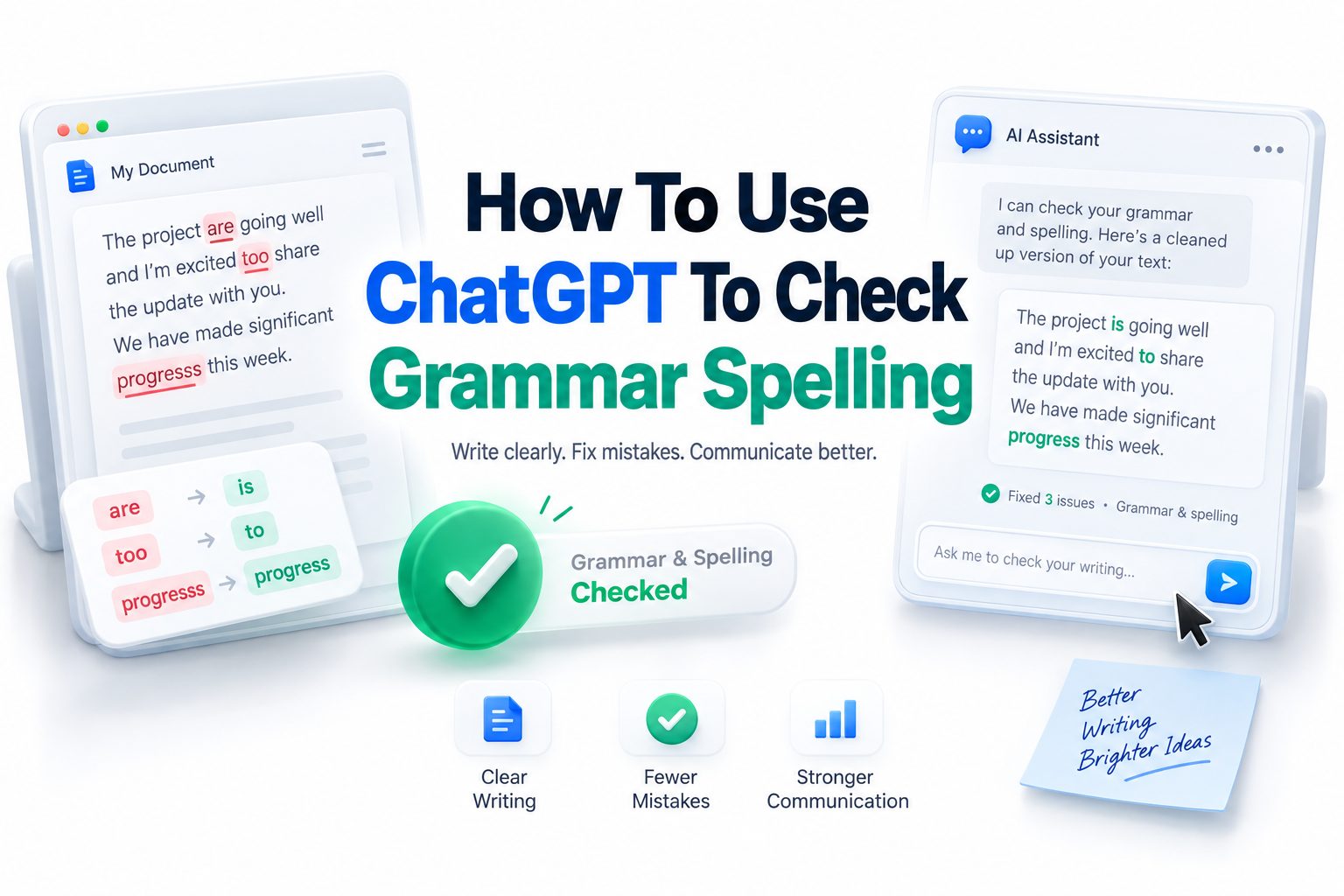
Writing clean, error-free content matters more than most people realize. A small spelling mistake in an email can make a message look rushed, while poor grammar in a blog post can distract readers from the main point. That is why many writers, students, marketers, and business owners now want to learn how to use chatgpt to check grammar spelling in a practical, reliable way.
ChatGPT can help you review sentences, fix punctuation, improve word choice, and polish awkward phrasing without changing your natural voice. It is not just a basic spell checker. When used well, it can explain mistakes, compare versions, and help you write more clearly. The key is knowing what to ask and how to review the suggestions. This article walks you through a realistic process for using ChatGPT as a grammar and spelling assistant, with examples, prompt ideas, editing tips, and common mistakes to avoid.
Why ChatGPT Works Well for Grammar and Spelling Checks
ChatGPT is useful because it looks at language in context. Traditional spell checkers can catch obvious typos, but they may miss words that are spelled correctly yet used incorrectly. ChatGPT can read the sentence around the word and suggest a better fit when the meaning feels off.
It can also improve grammar without making your writing sound stiff. For example, it can fix subject-verb agreement, punctuation, tense consistency, and sentence structure while keeping the original message intact. This makes it helpful for emails, essays, reports, product descriptions, social posts, and blog drafts.
What ChatGPT Can Fix in Your Writing
ChatGPT can correct spelling mistakes, grammar errors, punctuation issues, capitalization problems, and unclear phrasing. It can also smooth out clunky sentences and remove repeated words. If you ask clearly, it can focus only on corrections instead of rewriting the whole piece.
It is especially helpful when you are too close to your own writing to notice small mistakes. After reading the same paragraph several times, your brain often fills in missing words. ChatGPT gives you a fresh second pass before you publish, submit, or send your work.
Quick Benefits of Using ChatGPT for Grammar Checks
- Finds spelling errors that basic tools may miss
- Improves grammar while keeping the original meaning
- Helps with punctuation, sentence flow, and clarity
- Explains corrections so you can learn from mistakes
- Works for emails, blog posts, academic drafts, resumes, and captions
- Can adjust tone for formal, casual, or professional writing
- Saves time during editing and proofreading
How to Ask ChatGPT to Check Grammar and Spelling
The best results come from specific instructions. Instead of pasting text and saying “fix this,” tell ChatGPT exactly what you want. You might ask it to correct grammar and spelling only, keep your tone the same, and show the corrected version without extra rewriting.
A strong prompt gives ChatGPT boundaries. For example: “Please check the following text for grammar, spelling, punctuation, and clarity. Keep my original meaning and tone. Do not rewrite unless necessary.” This helps prevent over-editing and keeps your voice intact.
Best Prompt Examples for Accurate Corrections
A simple prompt works well for short text. You can write: “Check this paragraph for grammar and spelling. Keep the wording as close to the original as possible.” This is useful when you want a clean version without major style changes.
For longer content, use a more detailed prompt. Try: “Proofread this article for grammar, spelling, punctuation, and sentence clarity. List major issues separately, then provide a corrected version.” This gives you both a clean draft and a useful editing summary.
Helpful Prompt Checklist
- Tell ChatGPT what type of text you are editing
- Mention the tone you want to keep
- Ask for grammar and spelling corrections only if needed
- Request explanations when you want to learn from edits
- Ask it to avoid changing facts, names, or technical terms
- For long text, ask for section-by-section proofreading
- Review the final version before using it
Checking Short Emails with ChatGPT
Emails are one of the easiest places to use ChatGPT for grammar and spelling. A short message can be checked in seconds, and the tool can help you avoid sounding too abrupt, too casual, or unclear. This is useful for workplace communication.
For example, you can paste an email and ask: “Please correct grammar and spelling while keeping this professional and polite.” ChatGPT can improve sentence flow, fix punctuation, and make the message easier to read without turning it into something overly formal.
Using ChatGPT for Professional Emails
Professional emails need to be clear, direct, and respectful. ChatGPT can help remove awkward wording and make requests sound more natural. It can also shorten long sentences that may confuse the reader or weaken the main message.
You can also ask it to create different versions. For instance, request a concise version, a warmer version, or a more formal version. This is helpful when writing to clients, managers, professors, recruiters, or business partners.
Example Email Prompt and Correction
Original sentence:
“I am writing you because I didn’t received the file yet and need it for finish the report.”
Prompt:
“Correct grammar and spelling. Keep the sentence professional.”
Improved version:
“I am writing because I have not received the file yet, and I need it to finish the report.”
This kind of correction keeps the meaning clear while fixing grammar, verb tense, and sentence structure.
Checking Blog Posts and Long Articles
When editing blog posts, ChatGPT can help you polish grammar, spelling, readability, and paragraph flow. Long content often includes repeated phrases, inconsistent tone, or sentences that drag. ChatGPT can identify these issues and suggest smoother alternatives.
For best results, do not paste a very long article all at once if you need careful editing. Break it into sections. Ask ChatGPT to proofread one section at a time so it can give more accurate corrections and avoid missing small details.
Best Practices for Long-Form Proofreading
For long-form content, tell ChatGPT what the article is about and who the target reader is. This context helps it preserve the right tone. A blog for beginners should sound different from a technical report or legal article.
You can also ask for a light edit instead of a heavy rewrite. A light edit focuses on grammar, spelling, punctuation, and readability while keeping the writer’s original style. This is often the best choice for blog content.
Comparison Table for Editing Options
Editing Need | Best ChatGPT Prompt | Best For
Basic spelling check | “Correct spelling mistakes only.” |
Grammar and spelling | “Fix grammar, spelling, and
Light proofreading | “Keep my wording and tone as much as possible.” | Blog posts and articles
Clarity edit | “Improve clarity without changing meaning.”
Tone adjustment | “Make this sound more professional.” |
Learning edit | “Explain each correction briefly.” |
Using ChatGPT to Improve Sentence Clarity
Grammar and spelling are important, but clarity is what makes writing effective. A sentence can be technically correct and still feel confusing. ChatGPT can help identify vague wording, long sentence chains, and unclear references that may slow readers down.
For example, if a sentence has too many ideas, ChatGPT can split it into two shorter sentences. If a pronoun is unclear, it can suggest naming the person or object directly. These small edits make writing easier to understand.
Keeping Your Original Voice
One concern many writers have is that edited text may stop sounding like them. This can happen if the prompt is too broad. Asking ChatGPT to “make this better” may lead to unnecessary rewriting and a more generic style.
To prevent that, use instructions like “keep my voice,” “make minimal changes,” or “do not rewrite sentences unless there is an error.” This keeps the edit focused. Your writing should sound cleaner, not like it came from someone else.
Common Grammar Issues ChatGPT Can Catch
ChatGPT can catch many grammar problems that appear often in everyday writing. These include incorrect verb tense, missing articles, comma errors, run-on sentences, sentence fragments, and misplaced modifiers. It can also flag confusing word order in longer sentences.
It is also useful for commonly mixed-up words such as “affect” and “effect,” “their” and “there,” or “your” and “you’re.” Since these words are spelled correctly, basic spell checkers may not always catch the problem.
Common Errors to Check
- Subject-verb agreement
- Incorrect verb tense
- Missing commas after introductory phrases
- Run-on sentences
- Sentence fragments
- Repeated words
- Confusing pronoun references
- Incorrect homophones
- Unclear word choice
- Awkward transitions between sentences
How to Use ChatGPT for Academic Writing
Students can use ChatGPT to check grammar and spelling in essays, research summaries, discussion posts, and personal statements. The best approach is to use it as a proofreading tool, not as a replacement for your own thinking or assignment work.
When editing academic writing, ask ChatGPT to preserve your argument and citation structure. You can say: “Check grammar, spelling, and clarity only. Do not add new claims or sources.” This helps protect academic integrity while improving readability.
Editing Essays Without Losing Meaning
Academic writing often includes complex ideas, so careless rewriting can change the meaning. ChatGPT may simplify a sentence in a way that sounds better but slightly shifts the argument. That is why you should compare the edited version with your original.
A safe method is to ask for a list of suggested corrections first. Then review each one before applying it. This makes the editing process more controlled and helps you understand why each change improves the sentence.
Using ChatGPT for Business Writing
Business writing should be clear, polished, and easy to act on. ChatGPT can help proofread proposals, memos, reports, presentations, product descriptions, and internal updates. It can remove grammar mistakes that might weaken credibility in professional communication.
It can also help with consistency. If one paragraph sounds formal and another sounds casual, ChatGPT can smooth the tone. This is helpful when several people contribute to the same document and the final draft needs one clear voice.
Proofreading Reports and Proposals
Reports and proposals usually need more than simple spelling correction. They require clear structure, precise language, and professional wording. ChatGPT can help shorten wordy sentences, correct grammar, and make complex points easier for busy readers to follow.
For sensitive business documents, avoid sharing confidential data, private client details, financial records, or internal strategy. Replace sensitive names and numbers with general labels before using any online tool. Good proofreading should never put private information at risk.
Business Writing Tips
- Use short sentences for important points
- Keep one main idea per paragraph
- Ask ChatGPT to preserve facts and figures
- Review names, dates, and numbers manually
- Request a professional tone without extra formality
- Remove unnecessary jargon when writing for broad audiences
- Use clear action words in requests and recommendations
Using ChatGPT for Resume and Cover Letter Grammar
A resume or cover letter must be polished because small errors can hurt your first impression. ChatGPT can check grammar, spelling, punctuation, and consistency across bullet points. It can also help make job descriptions more concise and active.
For resumes, ask ChatGPT to avoid exaggeration. A good prompt is: “Check this resume section for grammar, spelling, and clarity. Do not add skills or experience I have not provided.” This keeps the edit honest and professionally useful.
Improving Cover Letter Flow
Cover letters often sound either too stiff or too vague. ChatGPT can help make them clearer and more focused. It can fix grammar while improving transitions between your background, interest in the role, and fit for the company.
You can also ask for a tone check. For example: “Does this cover letter sound confident and professional without sounding exaggerated?” This helps you refine the message while keeping it grounded in your real experience.
How to Review ChatGPT Corrections Carefully
ChatGPT is helpful, but it should not be treated as perfect. Always read the corrected version yourself. Look for changes in meaning, removed details, altered names, or wording that sounds less natural than your original.
Pay special attention to technical terms, brand names, industry language, and personal style. Sometimes a phrase that looks unusual is actually correct within a specific field. Human review is still essential, especially for important documents.
Important Review Steps
- Compare the edited version with your original
- Check that facts and names are unchanged
- Make sure the tone still fits your audience
- Read the final text aloud
- Watch for over-polished or unnatural wording
- Keep phrases that reflect your personal style
- Use your judgment before accepting every change
Using ChatGPT with Other Grammar Tools
ChatGPT works well with tools like built-in spell checkers, document editors, and grammar apps. Each tool has strengths. A traditional spell checker quickly flags typos, while ChatGPT is better at context, tone, and sentence-level improvements.
Using more than one tool can improve accuracy. For example, you might run a spelling check in your document editor, then ask ChatGPT to review grammar and clarity. Finally, read the text yourself to catch anything automated tools missed.
When to Choose ChatGPT Over a Basic Spell Checker
A basic spell checker is enough when you only need to catch obvious typos. ChatGPT is better when the writing needs context-based correction. It can explain why a sentence feels awkward and suggest a more natural version.
For content that will be published, submitted, or sent to an important reader, ChatGPT is usually worth using. It adds a deeper layer of review, especially when grammar, tone, and clarity all matter.
Practical Workflow for Better Proofreading
A simple workflow can help you get better results every time. First, write your draft without stopping too often to edit. Then run a basic spell check. After that, use ChatGPT for grammar, spelling, punctuation, and clarity.
Once ChatGPT gives you a corrected version, compare it with your draft. Accept useful changes and reject anything that changes your meaning. Finish by reading the final text aloud. This catches rhythm problems and missing words.
A Simple Editing Workflow
1. Finish your rough draft
2. Run a basic spelling check
3. Paste one section into ChatGPT
4. Ask for grammar, spelling, and punctuation corrections
5. Request explanations for unclear edits
6. Compare the corrected text with your original
7. Read the final version aloud
8. Make final manual adjustments
Best Prompts for Different Writing Needs
Different writing tasks need different prompts. A casual social media caption does not need the same level of polish as a business proposal. When your prompt matches the writing type, ChatGPT can give corrections that fit the situation.
You can save a few favorite prompts and reuse them. Over time, this makes editing faster. You will spend less time explaining what you need and more time reviewing useful suggestions.
Prompt Examples You Can Use
For emails:
“Check this email for grammar, spelling, punctuation, and professionalism. Keep it polite and concise.”
For blog posts:
“Proofread this section for grammar, spelling, flow, and readability. Keep the original tone and avoid major rewriting.”
For essays:
“Correct grammar and spelling only. Keep my argument, structure, and wording as close as possible.”
For resumes:
“Check this resume bullet list for grammar, spelling, consistency, and active wording. Do not add new information.”
For social posts:
“Fix grammar and spelling while keeping the tone natural and conversational.”
Common Mistakes to Avoid When Using ChatGPT
One common mistake is asking ChatGPT to rewrite everything when you only need proofreading. This can make your writing sound less personal. If grammar and spelling are your main concerns, say so clearly in your prompt.
Another mistake is accepting every suggestion without review. ChatGPT may sometimes change a phrase that was already correct or remove nuance from your sentence. Treat it as a skilled assistant, not an automatic final editor.
Over-Editing Your Writing
Over-editing can make simple writing sound unnatural. If every sentence becomes too polished, the final text may lose warmth and personality. This is especially true for personal essays, brand content, newsletters, and social media posts.
To avoid this, ask for minimal edits. You can also request two versions: one corrected version and one lightly improved version. Then choose the one that best fits your voice and purpose.
Mistakes to Avoid
- Giving vague prompts like “fix this”
- Asking for a full rewrite when proofreading is enough
- Ignoring changes in meaning
- Sharing private or sensitive information
- Forgetting to review names, numbers, and dates
- Using a tone that does not fit your audience
- Accepting every correction without reading it
How ChatGPT Helps Non-Native English Writers
Non-native English writers can use ChatGPT as a supportive editing partner. It can correct grammar, spelling, articles, prepositions, and word order. It can also explain why a correction sounds more natural in English.
This is useful because many English mistakes are not obvious from grammar rules alone. ChatGPT can show practical examples and help writers learn patterns over time. The goal is not just cleaner writing, but stronger confidence.
Learning from Corrections
If you want to improve your English, ask ChatGPT to explain corrections briefly. For example: “Correct my grammar and explain the three most important mistakes.” This keeps feedback manageable and useful.
You can also ask for practice sentences based on your mistakes. If you often confuse prepositions, ChatGPT can create examples that show how to use them correctly. This turns proofreading into a learning habit.
Using ChatGPT for Website and Marketing Copy
Website copy needs to be accurate, persuasive, and easy to scan. ChatGPT can check grammar and spelling in landing pages, service pages, product descriptions, and calls to action. It can also improve sentence flow without changing the brand message.
For SEO content, clear writing matters because readers leave when copy feels confusing. Clean grammar supports trust, while natural phrasing keeps people engaged. You can also connect related pages with helpful resources like [Internal Link: SEO Content Writing Tips] when it adds value.
Proofreading Product and Service Pages
Product and service pages often include short sections where every word matters. A grammar mistake in a headline, feature list, or pricing note can create doubt. ChatGPT can help catch errors before the page goes live.
Ask it to keep the copy conversion-focused but accurate. Avoid prompts that push exaggerated claims. Good marketing copy should sound confident, clear, and believable. For deeper editing, you can also reference [Internal Link: Website Copywriting Best Practices].
Final Quality Checklist Before Publishing
Before publishing or sending any writing, use a final checklist. ChatGPT can help, but your last review should focus on meaning, audience, and accuracy. A polished sentence is not useful if it says the wrong thing.
Read slowly and check whether each paragraph has a clear purpose. Look for repeated ideas, missing transitions, and awkward wording. If the text is important, take a short break before the final read. Fresh eyes catch more.
Final Publishing Checklist
- Grammar and spelling are corrected
- Punctuation is clean and consistent
- Meaning has not changed
- Tone fits the audience
- Names, dates, links, and numbers are accurate
- Paragraphs are easy to scan
- Sentences sound natural when read aloud
- No private information was shared unnecessarily
Conclusion
ChatGPT can be a practical, flexible tool for proofreading almost any type of writing. It helps catch grammar errors, spelling mistakes, punctuation problems, and unclear sentences while giving you more control than many basic editing tools. The best results come from clear prompts, careful review, and a balanced approach that protects your original voice.
The main thing to remember is that ChatGPT should support your writing, not replace your judgment. Use it to polish emails, essays, blog posts, resumes, website copy, and professional documents, then read the final version yourself. When you know how to use chatgpt to check grammar spelling, you can write with more confidence, reduce embarrassing mistakes, and create clearer content for every reader.
FAQ
Can ChatGPT check spelling and grammar accurately?
Yes, ChatGPT can check spelling, grammar, punctuation, and sentence clarity with strong accuracy. You should still review the final text yourself, especially when the writing includes technical terms, names, dates, or important facts.
Can I use ChatGPT for academic proofreading?
Yes, you can use ChatGPT to proofread academic writing for grammar, spelling, and clarity. Ask it not to add new ideas, sources, or arguments, and always make sure your final work follows your institution’s rules.
Will ChatGPT change my writing style?
It can change your style if your prompt is too broad. To avoid that, ask for minimal edits and tell ChatGPT to keep your original tone, wording, and meaning as much as possible.
Is ChatGPT better than a regular spell checker?
ChatGPT is better for context, sentence flow, and tone. A regular spell checker is faster for simple typos, but ChatGPT can catch grammar and wording issues that depend on the meaning of the sentence.
Should I trust every correction ChatGPT suggests?
No, you should review each correction before using it. ChatGPT can make helpful suggestions, but it may occasionally alter meaning or over-polish a sentence. Your final judgment is still important.
0 Comments